
Risk Matrix
QSToolbox comes with a default 3 x 3 risk matrix:
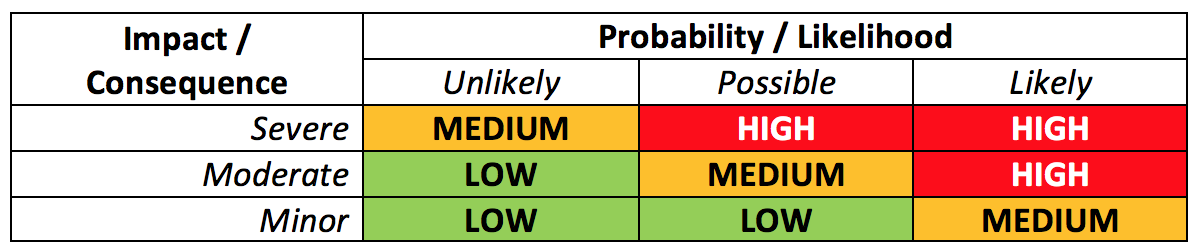
However, QSToolbox can be configured to use your preferred risk matrix.
You'll see the risk matrix in teh Risks module and also next to 'Risk Rating'' fields in Issues, Incidents, Assets, Contacts.
If you'd like to change the risk matrix in your QSToolbox site, please contact us and we'll upload your new risk matrix image for you.